




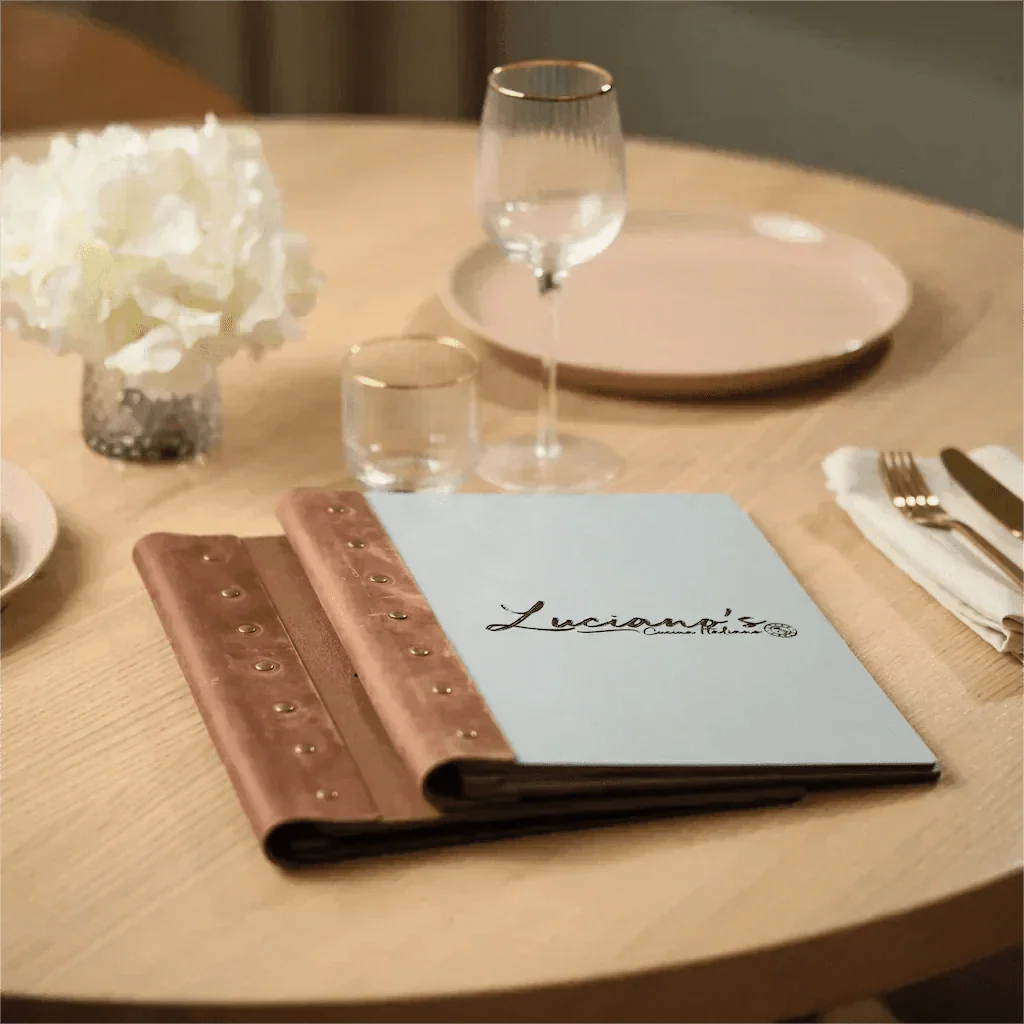
Your menu is the hardest-working employee in your restaurant. It never takes a day off, greets every single guest, and directly influences what they order — and how much they spend. Yet most restaurant owners treat menu design as an afterthought: pick a template, list the dishes, print, done.
That's a missed opportunity. Research consistently shows that a well-designed menu can increase profits by 10 to 15 percent without changing a single recipe. The difference comes down to how you present your offerings — from the layout and typography to the physical cover guests hold in their hands.
This guide covers every element of restaurant menu design, from the strategic decisions that drive revenue to the tactile details that create lasting impressions. Whether you're opening a new venue or redesigning an existing menu, you'll walk away with a practical framework you can apply immediately.
Key takeaways:
- Menu layout directly affects what guests order — strategic placement can increase sales of target items by up to 30%.
- Typography and color choices must balance brand personality with readability in real restaurant lighting conditions.
- Menu engineering (the Stars, Plowhorses, Puzzles, Dogs framework) helps you identify which items to promote, rework, or remove.
- Descriptive, sensory language in menu copy can boost item sales by 27% compared to plain listings.
- The physical menu cover is the first branded touchpoint guests interact with — it sets expectations before they read a single dish.
- A hybrid approach combining printed menus with QR codes gives you the best of both worlds: tactile experience plus easy updates.
Why Menu Design Matters More Than You Think
Think about the last time you dined somewhere memorable. Chances are you remember the food, the atmosphere — and whether the menu felt cheap or considered. That isn't an accident. The menu is typically the first physical object a guest interacts with after being seated, and it sets the tone for the entire experience.
The numbers support this. A Cornell University study found that removing dollar signs from menus led to significantly higher average spending. Restaurants that applied menu engineering principles reported profit increases between 10 and 15 percent. The difference between a guest ordering a $16 pasta and a $28 steak often comes down to which item catches their eye first — and that's a design decision, not a culinary one.
Beyond revenue, menu design communicates your brand's standards. A leather-bound cover with debossed branding tells guests they're in a premium establishment before they read a single price. A colorful wooden board with laser-engraved illustrations signals a playful, creative kitchen. The menu is silent, but it speaks volumes.
Three things a well-designed menu does that most owners overlook: it reduces decision time (guests who feel overwhelmed order less), it guides attention toward your most profitable items, and it creates a physical artifact that guests photograph and share — free marketing that a laminated sheet will never generate.

Restaurant Menu Layout: Choosing the Right Format
The format you choose shapes how guests navigate your offerings. There is no universal best format — the right choice depends on how many items you serve, your restaurant's style, and how often your menu changes.
Single-page menus
Best for cafés, prix fixe restaurants, and venues with focused offerings. A single page forces you to curate ruthlessly, which actually helps guests decide faster. When every item fits on one surface, there's no page-flipping friction. Quick-service restaurants and food trucks benefit most from this clarity.

Bi-fold (two-panel) menus
The most popular format in casual and upscale dining. When a guest opens a bi-fold menu, their eyes naturally scan in a pattern that menu engineers have studied extensively. The center and top-right area tend to receive the most attention — place your highest-margin items there. This format works well for 15 to 30 items divided into clear categories.

Tri-fold menus
Ideal for restaurants with a broader selection that still want a single-sheet format. The three panels create natural category boundaries: appetizers on one panel, mains in the center, desserts and drinks on the third. The danger with tri-folds is visual clutter — resist the temptation to fill every square inch.

Multi-page booklets
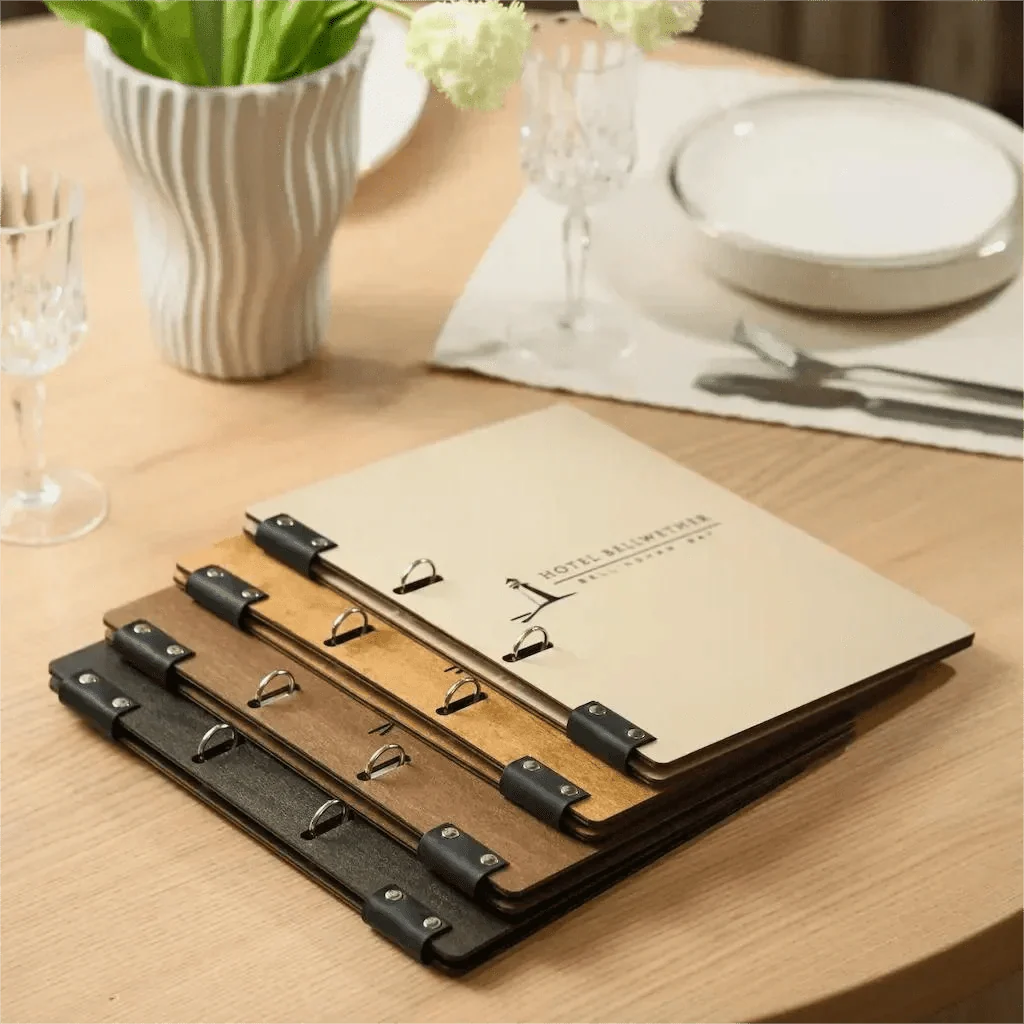
Fine dining restaurants, hotels, and venues with extensive wine programs often need multiple pages. Ring binders and screw-post bindings make it easy to swap out seasonal pages without replacing the entire cover. This format works best when paired with a premium cover — flimsy multi-page menus feel like a brochure, while a well-crafted booklet feels like a curated experience.

Menu boards and letter boards
Wall-mounted menu boards work beautifully in cafés, coffee shops, bakeries, and fast-casual spots where the menu is visible from the counter. Changeable letter boards let you update daily specials in seconds. The key is legibility — choose a board size and letter height that guests can read comfortably from wherever they'll be standing.
Choosing tip: Count your menu items. Under 12? Single page. 12 to 30? Bi-fold. 30 to 50? Tri-fold. 50+? Multi-page booklet. Then ask: how often does the menu change? Frequent changes favor ring binders or removable inserts over fixed formats.
Not sure which format fits your restaurant? Browse our full menu cover collection to see all available formats, sizes, and binding types — from single-panel boards to multi-page leather binders.
Typography and Color: Setting the Right Tone
Fonts and colors do heavy lifting on a menu. They communicate your restaurant's personality, establish visual hierarchy, and — most importantly — determine whether guests can actually read your offerings in a dimly lit dining room.

Choosing menu fonts
Stick to a maximum of two or three typefaces. A common approach is pairing a distinctive display font for category headers (something with personality — a serif for elegance, a slab for rusticity, a clean sans-serif for modernity) with a highly readable body font for item names and descriptions.
Fine dining leans toward classic serifs: they signal tradition, quality, and attention to detail. Casual restaurants can go bolder with contemporary sans-serifs or even handwritten-style fonts — but only for headers. The moment your descriptions become hard to read, you lose sales.
Color psychology on menus
Color triggers emotional responses, and smart restaurants use this deliberately. Red and orange stimulate appetite — there's a reason so many food brands use these colors. Green communicates freshness and works well for salad sections or plant-based offerings. Dark backgrounds with light text create a luxury feel but must be executed carefully to remain legible. Blue is the least appetizing color in food contexts, so use it sparingly.
Your menu's color palette should echo your brand identity and interior design. If your restaurant features warm wood and leather, carry those warm tones into the menu. If your space is modern and minimal, a clean black-on-white menu with one accent color will feel cohesive.
Readability in real conditions
Here's what most designers forget: restaurant menus are read in restaurants, not in design studios. That means dim lighting, ambient noise competing for attention, and guests who may be over 50 with changing vision.
Practical rules: keep body text at 11 points minimum. Use high contrast between text and background. Avoid printing light gray text on white paper — it may look elegant on screen but disappears under warm table lighting. Always print a test copy and read it in your actual dining room before committing to a full run.
Menu Engineering: The Science Behind Profitable Menus
Every item on your menu falls into one of four categories based on two factors: how popular it is and how profitable it is. Understanding this framework — known as menu engineering — lets you make strategic decisions about what to promote, reprice, rework, or remove.
The four categories
Stars are both popular and profitable. These are your best items — give them prime placement, highlight them visually, and never let them disappear from the menu. A star might be your signature burger with a 72% food cost margin that guests order repeatedly.
Plowhorses are popular but low-profit. Guests love them, but they don't contribute much to your bottom line. Instead of removing them (you'd lose loyal customers), look for ways to improve margins: negotiate better ingredient pricing, reduce portion sizes slightly, or pair them with profitable add-ons.
Puzzles are profitable but unpopular. The food cost is great, but nobody orders them. These items need better visibility — rewrite their descriptions with more sensory language, move them to a high-attention zone on the menu, or have servers recommend them verbally.
Dogs are neither popular nor profitable. These are candidates for removal. Every dog on your menu takes up space that could go to a star or puzzle.
Pricing psychology that works
Small formatting choices influence spending. Removing currency symbols from menus (writing "28" instead of "$28") reduces the psychological pain of spending, leading guests to order more freely. Listing prices at the end of each item description, rather than in a separate right-aligned column, prevents guests from scanning prices first and choosing the cheapest option.
Decoy pricing is another powerful tactic. If you want to sell more of your $24 pasta dish, place a $38 premium version directly above it. The $24 option suddenly feels like great value by comparison. This technique works across every price range and cuisine type.
Strategic item placement
Where an item sits on the menu affects how likely guests are to order it. The first and last items in each section receive disproportionate attention — this is called the primacy-recency effect. Place your stars and puzzles in these anchor positions.
Drawing a thin border or subtle box around an item increases its selection rate. Adding a small "chef's recommendation" icon works similarly. But use these techniques sparingly — if everything is highlighted, nothing stands out.
Writing Menu Descriptions That Sell
Close-up of guest reading an open wooden bar menu cover — browsing menu descriptions and making a dining choice" Position: After first paragraph -->
The language on your menu is a sales tool. Studies have shown that descriptive menu labels increase sales by 27% compared to plain item names and also improve guest satisfaction with the food — the same dish tastes better when described evocatively.
The anatomy of a great menu description
Strong descriptions follow a pattern: lead with the preparation method or origin, then describe the key ingredients with sensory adjectives, and finish with what makes the dish special. Compare these two approaches:
Plain: "Salmon with vegetables and rice."
Descriptive: "Pan-seared Atlantic salmon over jasmine rice, finished with roasted seasonal vegetables and a bright lemon-herb butter."
The second version paints a picture. Guests can almost taste it before ordering. Words like "pan-seared," "roasted," "bright," and "seasonal" all do work — they convey technique, texture, and freshness.
What to avoid
Overwriting kills momentum. If every dish has a four-line poetic description, guests get fatigued and stop reading. Keep descriptions to one or two lines for most items, reserving longer copy for signature dishes. Avoid empty superlatives ("the best," "amazing," "world-famous") — they sound like marketing, not culinary craft.
Be honest. If a dish is spicy, say so. If a portion is meant for sharing, indicate it. Accuracy builds trust, and trust brings guests back.
Allergen and dietary information
Modern menus must accommodate dietary needs clearly. Use simple, consistent icons (V for vegetarian, VG for vegan, GF for gluten-free) and place them directly after item names. Guests with dietary restrictions shouldn't have to hunt for this information — making it visible isn't just good design, it's good hospitality.
Physical Presentation: Menu Covers and Materials That Impress
Everything we've discussed so far — layout, typography, pricing, descriptions — lives inside the menu. But the guest's experience begins the moment they pick it up. The weight, texture, and craftsmanship of the menu cover create an immediate impression that colors how they perceive everything that follows.
A flimsy plastic sleeve says "we didn't think about this." A handcrafted leather cover with a debossed logo says "every detail here is intentional." That difference matters more than most owners realize.

Materials compared
Leather is the classic choice for upscale restaurants, steakhouses, and Italian trattorias. It ages beautifully, feels substantial in guests' hands, and takes debossing and embossing exceptionally well. Genuine leather develops a patina over time that adds character. Available in dozens of colors and textures to match any interior concept.
Wood brings warmth and craftsmanship to the table. Wooden menu covers work particularly well in farm-to-table restaurants, breweries, wine bars, and cafés with a natural or rustic aesthetic. The surface can be laser-engraved with intricate patterns, logos, and even UV-printed with full-color artwork. Custom cutouts — like a window revealing a printed image underneath — add a creative dimension that no other material can match.
Fabric (linen, canvas, textured textile) suits modern cafés, boutique hotels, and venues going for a soft, natural feel. Fabric covers are lightweight and have an organic, handmade quality. They pair beautifully with brass hardware and natural thread stitching.
Hardcover (rigid board wrapped in leather, fabric, or specialty paper) delivers the most premium tactile experience. The weight and structure of a hardcover menu immediately signals fine dining. These covers protect pages better than any other option and work well for multi-page booklets.
| Material | Best for | Durability | Customization options |
|---|---|---|---|
| Leather | Fine dining, steakhouses, wine bars | Excellent — improves with age | Debossing, embossing, stitching, color |
| Wood | Cafés, breweries, farm-to-table | Excellent — moisture-resistant finishes available | Laser engraving, UV print, cutouts, staining |
| Fabric | Boutique cafés, tea rooms, modern bistros | Good — washable options available | Printing, brass hardware, embroidery |
| Hardcover | Hotels, fine dining, tasting menus | Excellent — rigid protection | Full wrap, foil stamping, custom sizing |

Custom branding makes it yours
A menu cover becomes a true brand asset when it carries your identity. Laser engraving creates permanent, precise markings on wood — your logo becomes part of the material itself, not a sticker applied on top. On leather, debossing presses your logo into the surface, creating an elegant dimensional effect that guests notice and remember.
Full-color UV printing opens up even more possibilities. Imagine a cocktail bar menu featuring detailed illustrations of their signature drinks printed directly onto the wooden cover. Or a seafood restaurant with a coastal scene that wraps around the spine. These aren't decorative extras — they're brand-building touchpoints that guests photograph and share on social media.

Choosing the right binding
The binding holds your menu together and determines how easily you can update pages. Screw posts are the most versatile: unscrew, swap pages, rescrew. Perfect for seasonal menus. Ring binders (with brass or metal rings) allow easy page flipping in multi-page menus and give that substantial, booklet feel. Elastic bands offer a sleek, minimal attachment — great for single-sheet menus in modern settings. Corner fixings mount pages flat against the cover, ideal for prix fixe or tasting menus with a single printed sheet.

Pro tip: If your menu changes seasonally but your brand identity doesn't, invest in premium covers with replaceable inserts. The covers last for years while the printed pages can be swapped out in minutes. This approach saves money long-term and maintains a consistently premium feel.
Explore our full range of menu covers — from leather and wood to fabric and hardcover — all handcrafted with custom branding options.
Need a cohesive look across your entire restaurant? Our curated product sets match menu covers with check presenters, table signs, and more.
Digital vs Print Menus: Finding the Right Balance
The QR code menu exploded during the pandemic, and it's not going away. But the question isn't "digital or print?" — it's "how do I use both effectively?"
Physical menus create a tactile, branded experience that digital can't replicate. There's a reason fine dining restaurants never switched to QR-only — handing a guest a beautifully crafted menu cover is part of the theatre of hospitality. Printed menus also don't require a charged phone, struggle with sun glare, or make older guests feel excluded.
Digital menus excel at flexibility. Change a price, add a seasonal special, remove a sold-out item — all updated instantly across every table without reprinting. QR menus also reduce physical contact and allow for multi-language support that would be impractical in print.
The hybrid approach that works
The most effective restaurants use both formats strategically. The main food menu lives in a premium physical cover — this is the centerpiece of the dining experience. A discreet QR code stand on the table links to daily specials, the wine list, or a digital version for guests who prefer it.
This approach gives you the best of both worlds: the brand impact and tactile experience of print, plus the flexibility and convenience of digital. The QR stand itself becomes a design element when it's crafted from the same materials as your menu covers — wood, leather, or branded acrylic that complements rather than clashes with your table setting.
Add a digital layer to your menu presentation with our custom QR code stands — designed to complement your physical menus, not replace them.
Menu Design Checklist: From Concept to Table
Before you go to print, walk through this checklist. It captures everything we've covered and gives you a quick validation tool for your final menu.
Strategy and content:
- Completed a menu engineering analysis (Stars, Plowhorses, Puzzles, Dogs)
- Removed or reworked underperforming items
- Written descriptive, sensory language for key dishes
- Included allergen/dietary icons consistently
- Priced strategically (no dollar signs, no price columns, decoy items in place)
Design and layout:
- Chosen a format that matches your item count and style
- Applied visual hierarchy (headers, categories, white space)
- Used no more than 2–3 fonts
- Placed highest-margin items in prime visibility zones
- Used subtle highlights (boxes, icons) for featured dishes — sparingly
- Ensured body text is 11pt minimum
Physical production:
- Selected a cover material that matches your brand and interior
- Added custom branding (logo, name, or artwork) to the cover
- Chosen a binding type that suits your update frequency
- Printed a test copy and reviewed it in actual restaurant lighting
- Ordered enough covers for 65–75% of total seating capacity
Digital integration:
- Created a digital version of the menu for your website
- Set up a QR code linking to the digital menu or specials page
- Placed QR stands on tables that complement the physical menu design

Need help choosing the right menu presentation for your restaurant? Our team has outfitted hundreds of venues across the USA, Europe, and the Middle East — from neighborhood cafés to five-star hotels. Get in touch for a free consultation.
What makes a good restaurant menu design?
How much does it cost to design a restaurant menu?
What size should a restaurant menu be?
How often should you update your restaurant menu?
What are the best materials for menu covers?
Should restaurants use digital or printed menus?
How do you make a restaurant menu stand out?
What is menu engineering?
Your menu is more than a list of dishes — it's a strategic tool and a brand statement in your guests' hands. When the design, content, and physical presentation work together, the result is a menu that delights guests and drives revenue with every seating.
Ready to elevate your menu presentation? Explore our collections or contact us for custom solutions tailored to your restaurant's identity.


Dejar un comentario
This site is protected by reCAPTCHA and the Google Privacy Policy and Terms of Service apply.